


Duke vs. Virginia Picks: Will Cavaliers punch ticket to CFP with ACC title win?

# Cowork Automation — Pre-Filled Schedule Blocks (NCAAF — FBS) ## Purpose Produce ready-to-paste intake blocks for TheSpread.com NCAAF on-demand skill, so the teams and dates are filled in automatically instead of by hand. Each block is the intake header of the on-demand skill with five fields set: article type, away team, home team, game date, publish date. Output is dropped as a `.txt` file into a Google Drive folder — never delivered inline in chat. Scope is **Division 1 FBS** college football only (the major betting programs). FCS and lower divisions are excluded. Coverage rule by day: - **Sunday through Friday:** ALL FBS games that day (no cap). - **Saturday:** the first 10 FBS games by kickoff time (Saturday slates run 60+ games; the cap keeps Saturday manageable). Everything is `Article type: PREDICTION`. ### WHEN THIS RUNS The time and frequency this task runs are set ENTIRELY by the Cowork schedule/ automation settings. Nothing in this document sets, requests, gates, delays, or influences the run time in any way. When the task is triggered — on whatever schedule you set, or on demand — it runs immediately and produces its output. Any date language below refers ONLY to WHICH GAMES to fetch once a run has already started. It is content-selection math, not a schedule. It never affects when the task fires. Do not treat any date in these instructions as a run time, a start time, or a condition that must be met before running. --- ## OUTPUT DESTINATION Drop the finished `.txt` file into this Google Drive folder: > **Folder:** `TheSpread/Schedule Prefills/` > (If the folder does not exist, create it. Each run writes a new, date-stamped > file; do not overwrite prior files.) Do not deliver the blocks inline in the chat/response. The file in Drive IS the deliverable. After writing, confirm the filename and Drive location in one line. --- ## BLOCK FORMAT (exact — do not alter) Each game becomes one block, exactly this, with values substituted: ``` Article type: PREDICTION Away team: [FULL TEAM NAME] Home team: [FULL TEAM NAME] Game date: [Month D, YYYY] Publish date: [Month D, YYYY] Internal links (optional): ``` Rules: - Use FULL team names exactly as the source lists them (e.g. "Alabama Crimson Tide", "West Virginia Mountaineers"). Not abbreviations, not city-only, not bare school names. - `Game date` and `Publish date` are the SAME date (the day the game is played). - Date format is `Month D, YYYY` — e.g. `September 5, 2026` (no leading zero on day). - Leave `Internal links (optional):` blank. - Separate blocks with a line of 60 dashes: `------------------------------------------------------------` - Do NOT modify anything about the skill beyond these five fields. This task only produces the intake block, not the article. --- ## TARGET SPAN (default + override) **Default:** the seven-day span starting the day AFTER the run date (tomorrow) through the following six days — WEEK_START through WEEK_START + 6, where WEEK_START is tomorrow. A plain run needs no input. **Optional override:** If an explicit start date is provided to the run (in `YYYY-MM-DD` form), use that as WEEK_START instead and cover it plus the following six days. A plain run with nothing supplied always starts tomorrow. Resolve WEEK_START this way at the start of every run, then produce all seven days. (This is content-selection date math only — see WHEN THIS RUNS above. It does not affect when the task fires.) --- ## DATA SOURCE ESPN college football core API, per-date, filtered to FBS with `groups=80`: ``` https://sports.core.api.espn.com/v2/sports/football/leagues/college-football/events?dates=YYYYMMDD&groups=80 ``` `groups=80` = FBS (Division 1 major). Do NOT use `groups=81` (that is FCS) or omit the group filter (that returns all divisions). This returns an `items` array of event `$ref` URLs. Fetch each `$ref` to get the event; within `competitions[0].competitors`, each has a `team.$ref` to fetch for the `displayName`, and a `homeAway` field. `event.date` is the UTC kickoff time. Fetch via sandbox bash/Python (curl or urllib). Do not use the web_fetch tool. ### PAGINATION (critical) The events index is PAGED at 25 items per page. A Saturday FBS slate is 60–70 games = 3 pages. You MUST page through ALL pages, not just the first. The index response includes `pageCount`; loop `&page=1` through `&page=pageCount` and collect every item before selecting. Taking only page 1 silently drops most of the slate. --- ## SELECTION LOGIC (per day) 1. For each of the 7 dates, fetch ALL FBS events for that `YYYYMMDD` (paging through every page per above). 2. Sort that day's games by `event.date` (UTC kickoff) ascending. 3. Apply the day-of-week rule: - **If the date is a Saturday:** take the first **10** games by kickoff. If the day has fewer than 10, output however many exist. - **If the date is Sunday–Friday:** take **ALL** games that day (no cap). 4. If a day has 0 FBS games, write `(No games scheduled)` under that date header. 5. Away = competitor with `homeAway == "away"`, Home = `homeAway == "home"`, using each team's `displayName`. NCAAF has no doubleheaders, so no dedupe step is needed. --- ## EXTERNAL VERIFICATION (every run) Independently confirm the slate against a second source before writing. Web-search the week's college football schedule (e.g. "college football schedule [Month D, YYYY]") and/or check schedules on any reputable source — ESPN, CBS Sports, Fox Sports, the NCAA, conference sites, or the schools' official athletics sites — and confirm the selected matchups and dates. - The accuracy bar is: correct away team, correct home team, correct date. Not exact kickoff ordering. - If any matchup cannot be confirmed on a second source, still write the file, and add a note line at the very top naming what could not be verified. The file always gets written and always outputs the games it confirmed. --- ## FILE LAYOUT One file for the whole span. Each day gets a header, then its blocks. On Saturday the header notes the cap: ``` ================ Sunday, September 6, 2026 ================ [block] ------------------------------------------------------------ [block] ================ Saturday, September 12, 2026 (first 10 by kickoff) ================ [block] ------------------------------------------------------------ [block] ... ``` Include a header for every day in the span, even empty ones (with `(No games scheduled)`), so the week reads completely. ### Filename `NCAAF_predictions_YYYY-MM-DD_to_YYYY-MM-DD.txt` (WEEK_START to WEEK_END) --- ## HARD RULES - Output goes to the Google Drive folder `TheSpread/Schedule Prefills/` as a `.txt` file. Never inline in chat. - FBS only (`groups=80`). Never include FCS or lower divisions. - Saturday = first 10 by kickoff. Sunday–Friday = all games that day. - PAGE THROUGH ALL RESULT PAGES before selecting — never take only page 1. - Full team names exactly as the source lists them. - `Game date` = `Publish date` = the game day, formatted `Month D, YYYY`. - All blocks are `Article type: PREDICTION`. - Never fabricate, pad, approximate, or guess a matchup or date. Fewer correct games is better than a slate with a wrong entry. - Every run performs the external cross-check before writing. Anything that could not be verified is noted at the top of the file — but the file is always written and always outputs the games it confirmed. - Do not alter the skill intake beyond the five fields (type, away, home, game date, publish date). - Nothing in this document controls when the task runs — the Cowork schedule does. # Cowork Automation — Pre-Filled Schedule Blocks (NCAAF — FBS) ## Purpose Produce ready-to-paste intake blocks for TheSpread.com NCAAF on-demand skill, so the teams and dates are filled in automatically instead of by hand. Each block is the intake header of the on-demand skill with five fields set: article type, away team, home team, game date, publish date. Output is dropped as a `.txt` file into a Google Drive folder — never delivered inline in chat. Scope is **Division 1 FBS** college football only (the major betting programs). FCS and lower divisions are excluded. Coverage rule by day: - **Sunday through Friday:** ALL FBS games that day (no cap). - **Saturday:** the first 10 FBS games by kickoff time (Saturday slates run 60+ games; the cap keeps Saturday manageable). Everything is `Article type: PREDICTION`. ### WHEN THIS RUNS The time and frequency this task runs are set ENTIRELY by the Cowork schedule/ automation settings. Nothing in this document sets, requests, gates, delays, or influences the run time in any way. When the task is triggered — on whatever schedule you set, or on demand — it runs immediately and produces its output. Any date language below refers ONLY to WHICH GAMES to fetch once a run has already started. It is content-selection math, not a schedule. It never affects when the task fires. Do not treat any date in these instructions as a run time, a start time, or a condition that must be met before running. --- ## OUTPUT DESTINATION Drop the finished `.txt` file into this Google Drive folder: > **Folder:** `TheSpread/Schedule Prefills/` > (If the folder does not exist, create it. Each run writes a new, date-stamped > file; do not overwrite prior files.) Do not deliver the blocks inline in the chat/response. The file in Drive IS the deliverable. After writing, confirm the filename and Drive location in one line. --- ## BLOCK FORMAT (exact — do not alter) Each game becomes one block, exactly this, with values substituted: ``` Article type: PREDICTION Away team: [FULL TEAM NAME] Home team: [FULL TEAM NAME] Game date: [Month D, YYYY] Publish date: [Month D, YYYY] Internal links (optional): ``` Rules: - Use FULL team names exactly as the source lists them (e.g. "Alabama Crimson Tide", "West Virginia Mountaineers"). Not abbreviations, not city-only, not bare school names. - `Game date` and `Publish date` are the SAME date (the day the game is played). - Date format is `Month D, YYYY` — e.g. `September 5, 2026` (no leading zero on day). - Leave `Internal links (optional):` blank. - Separate blocks with a line of 60 dashes: `------------------------------------------------------------` - Do NOT modify anything about the skill beyond these five fields. This task only produces the intake block, not the article. --- ## TARGET SPAN (default + override) **Default:** the seven-day span starting the day AFTER the run date (tomorrow) through the following six days — WEEK_START through WEEK_START + 6, where WEEK_START is tomorrow. A plain run needs no input. **Optional override:** If an explicit start date is provided to the run (in `YYYY-MM-DD` form), use that as WEEK_START instead and cover it plus the following six days. A plain run with nothing supplied always starts tomorrow. Resolve WEEK_START this way at the start of every run, then produce all seven days. (This is content-selection date math only — see WHEN THIS RUNS above. It does not affect when the task fires.) --- ## DATA SOURCE ESPN college football core API, per-date, filtered to FBS with `groups=80`: ``` https://sports.core.api.espn.com/v2/sports/football/leagues/college-football/events?dates=YYYYMMDD&groups=80 ``` `groups=80` = FBS (Division 1 major). Do NOT use `groups=81` (that is FCS) or omit the group filter (that returns all divisions). This returns an `items` array of event `$ref` URLs. Fetch each `$ref` to get the event; within `competitions[0].competitors`, each has a `team.$ref` to fetch for the `displayName`, and a `homeAway` field. `event.date` is the UTC kickoff time. Fetch via sandbox bash/Python (curl or urllib). Do not use the web_fetch tool. ### PAGINATION (critical) The events index is PAGED at 25 items per page. A Saturday FBS slate is 60–70 games = 3 pages. You MUST page through ALL pages, not just the first. The index response includes `pageCount`; loop `&page=1` through `&page=pageCount` and collect every item before selecting. Taking only page 1 silently drops most of the slate. --- ## SELECTION LOGIC (per day) 1. For each of the 7 dates, fetch ALL FBS events for that `YYYYMMDD` (paging through every page per above). 2. Sort that day's games by `event.date` (UTC kickoff) ascending. 3. Apply the day-of-week rule: - **If the date is a Saturday:** take the first **10** games by kickoff. If the day has fewer than 10, output however many exist. - **If the date is Sunday–Friday:** take **ALL** games that day (no cap). 4. If a day has 0 FBS games, write `(No games scheduled)` under that date header. 5. Away = competitor with `homeAway == "away"`, Home = `homeAway == "home"`, using each team's `displayName`. NCAAF has no doubleheaders, so no dedupe step is needed. --- ## EXTERNAL VERIFICATION (every run) Independently confirm the slate against a second source before writing. Web-search the week's college football schedule (e.g. "college football schedule [Month D, YYYY]") and/or check schedules on any reputable source — ESPN, CBS Sports, Fox Sports, the NCAA, conference sites, or the schools' official athletics sites — and confirm the selected matchups and dates. - The accuracy bar is: correct away team, correct home team, correct date. Not exact kickoff ordering. - If any matchup cannot be confirmed on a second source, still write the file, and add a note line at the very top naming what could not be verified. The file always gets written and always outputs the games it confirmed. --- ## FILE LAYOUT One file for the whole span. Each day gets a header, then its blocks. On Saturday the header notes the cap: ``` ================ Sunday, September 6, 2026 ================ [block] ------------------------------------------------------------ [block] ================ Saturday, September 12, 2026 (first 10 by kickoff) ================ [block] ------------------------------------------------------------ [block] ... ``` Include a header for every day in the span, even empty ones (with `(No games scheduled)`), so the week reads completely. ### Filename `NCAAF_predictions_YYYY-MM-DD_to_YYYY-MM-DD.txt` (WEEK_START to WEEK_END) --- ## HARD RULES - Output goes to the Google Drive folder `TheSpread/Schedule Prefills/` as a `.txt` file. Never inline in chat. - FBS only (`groups=80`). Never include FCS or lower divisions. - Saturday = first 10 by kickoff. Sunday–Friday = all games that day. - PAGE THROUGH ALL RESULT PAGES before selecting — never take only page 1. - Full team names exactly as the source lists them. - `Game date` = `Publish date` = the game day, formatted `Month D, YYYY`. - All blocks are `Article type: PREDICTION`. - Never fabricate, pad, approximate, or guess a matchup or date. Fewer correct games is better than a slate with a wrong entry. - Every run performs the external cross-check before writing. Anything that could not be verified is noted at the top of the file — but the file is always written and always outputs the games it confirmed. - Do not alter the skill intake beyond the five fields (type, away, home, game date, publish date). - Nothing in this document controls when the task runs — the Cowork schedule does.

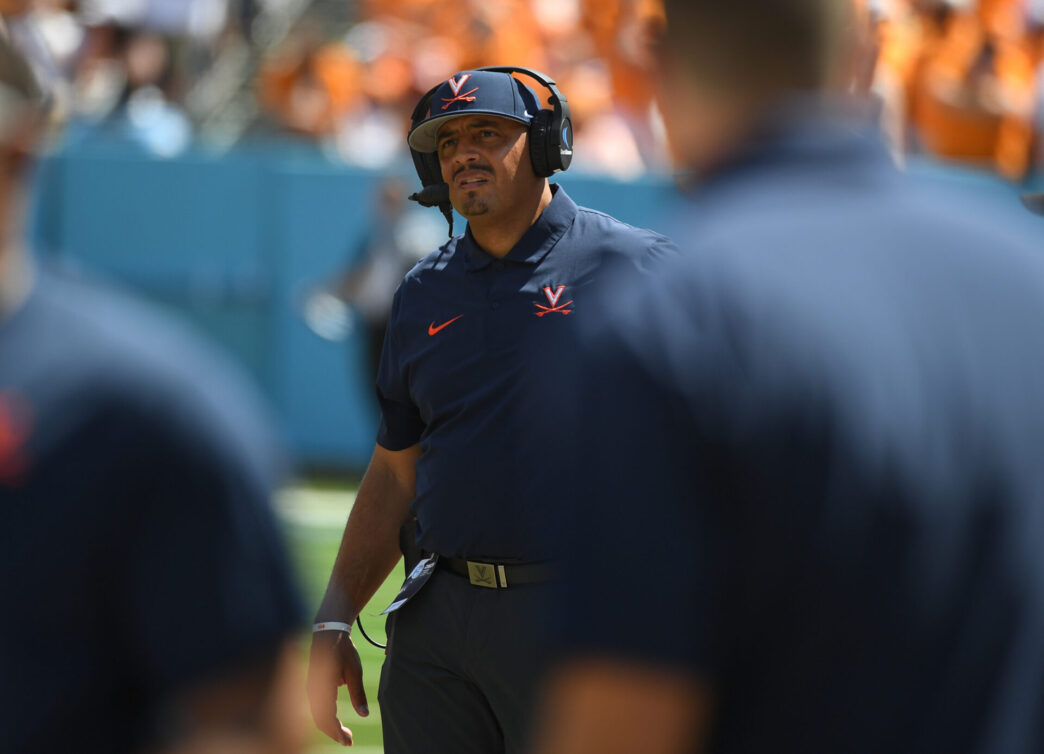
The ACC has brought the most controversy this season as it pertains to the college football playoff. On Saturday night, we’ll finally have a resolution as it pertains to the conference, when Duke takes on Virginia in the ACC title game. Will the Cavaliers roll? Or will the Blue Devils pull off the upset? Check out our Duke vs. Virginia Picks and preview for a full breakdown.

🎰 CASINO BONUS OFFER
Bet and Get up to $3,750 in Bonus Cash!
21+. Gambling Problem? Call 1-800-GAMBLER. New users only. Terms & conditions apply.

Claim Offer

Duke vs. Virginia — Game Day Information

  • Date: Saturday, December 6, 2025

  • Kickoff (ET): 8:00 PM ET

  • Venue: Bank of America Stadium — Charlotte, North Carolina (ACC Championship neutral site)

  • TV / Streaming: ABC (national broadcast)

Duke vs. Virginia Betting Odds

Team Spread Total ML
Duke +4 58 +150
Virginia -4 58 -180

Who Is The Public Betting

Team % of Bets Open Current
Duke 35% +2.5 +4
Virginia 65% -2.5 -4

Numbers update frequently — check the latest splits on our college football public betting chart before placing any bets.

Duke vs. Virginia Injury Report

Duke has a few players listed as questionable, including WR A. Anthony, CB L. Callahan, LB N. Morris Jr., and several offensive linemen (N. Kutufaris, E. Scott, M. Sahakian). Safety T. Moore is also questionable, and LB E. Schaper is out. These designations indicate Duke’s depth on offense and defense could be impacted if multiple questionables sit out.

Virginia’s injury list includes questionable DL T. Simmons, CB D. Walker, and S A. Jones, with several season-long outs at skill and line positions already accounted for. The Cavaliers still maintain their primary offensive weapons, but depth limitations could influence rotations late in a high-intensity championship game.

Duke vs. Virginia Picks

Virginia -4 is a strong play for several reasons. First, the Cavaliers have dominated Duke in recent matchups, both in overall production and efficiency, and they are equipped to exploit Duke’s depth issues along the defensive line and in the secondary. Second, Virginia’s balanced offensive attack — led by Chandler Morris — can control tempo and sustain drives, forcing Duke into high-risk situations that could lead to turnovers or quick-strike points.

Expect Virginia to execute methodically while leveraging depth advantages and situational coaching adjustments. Duke may respond with bursts of speed and passing plays, but the Cavaliers’ overall depth and efficiency should maintain a consistent lead.

Projected final score: Virginia 28 — Duke 21

🏈 Ready to Place Your Bet?
Up to $750 in Bonuses For New Players!
21+. Gambling Problem? Call 1-800-GAMBLER. New users only. Terms & conditions apply.

BET NOW!

Responsible Gaming

For help, visit our Responsible Gaming page or the National Council on Problem Gambling.

Affiliate Disclosure

We may receive affiliate commissions if you sign up through links on our site. Read our Affiliate Disclosure.